What an agent file looks like
Here's the shape, using the fields Claude Code's docs list. This one is my own example, written for this page:
---
name: release-checker
description: Checks a release branch against the checklist. Use before tagging a release.
tools: Read, Grep, Glob
model: sonnet
effort: low
permissionMode: plan
---
You check. You don't change anything.
Report what's missing, with file paths.
Example agent file (Claude Code fields). It lives in .claude/agents/ for one project, or ~/.claude/agents/ for all of them.
nameanddescriptionare required. The description tells the main agent when to hand work to this one.toolsis the allowlist. Leave it out and the agent inherits every tool available to subagents.model,effortandpermissionModeare optional: which model, how hard it thinks (low to max, depending on the model), and what it may do without asking.planis one of the modes, but Claude Code ignores a subagent'spermissionModewhen the main session runs in auto, acceptEdits or bypass mode.
What's new, tool by tool
Claude Code
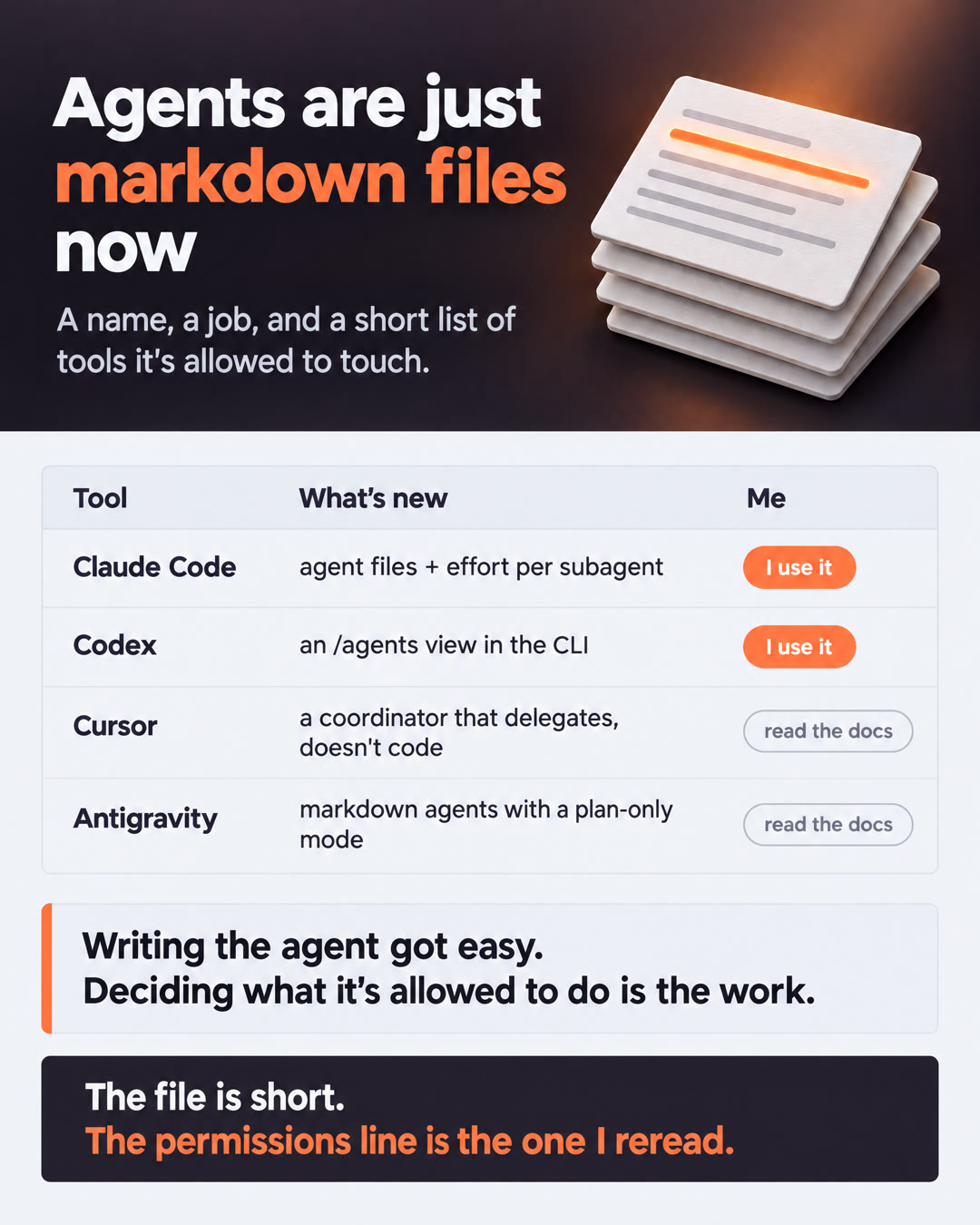
2.1.292 · Oct 6, 2026Agent files could already set an effort level. Now the Agent tool takes an effort setting per call, so a sub-agent runs at the effort level you ask for. A quick checker doesn't need to think as hard as a planner.OpenAI Codex
DevDay · Sep 29, 2026The Codex CLI got a new /agents view to delegate work and track multiple tasks at once. The Agents API also added computer use.Cursor
Projects (beta) · Sep 10, 2026A project's coordinator agent doesn't write code itself. It plans, delegates to agents that implement, and brings the finished work back for you to check.Google Antigravity
Custom agents in Google plugins · Sep 28, 2026Google teams started packaging custom agents into official plugins. The post's Play example is one you build yourself: a markdown file you save at .agents/agents/play-release-audit.md. It setspermissionMode: plan and tells the agent it works read-only.The pattern
Small agents with focused jobs, and their powers written down where you can read them. A coordinator that plans but doesn't touch the code. Workers with a short tools list. One place to watch them all.
I use Claude Code and Codex on personal projects, and most of my agents there are markdown files now. Writing them got easy. The line that deserves real thought is the tools list: what each agent is allowed to touch.
Three questions for the tools line
- Does it need to write anything, or only read? If it only reads, give it read tools only. In Claude Code, a subagent's
permissionMode: planis ignored when your main session runs in auto, acceptEdits or bypass mode, so the tools list is the guard that always holds. - Does it need a shell or the network? Those are the tools that turn a mistake into a real-world action.
- What happens if you leave the list out? In Claude Code, it gets every tool subagents can use. Write the list on purpose.
Tools line left out
name: release-checkerdescription: Checks a release branch…Inherits every tool available to subagents, shell and connected tools included. One bad instruction and a "checker" can change things.
Tools line written
tools: Read, Grep, GlobCan read and search, nothing else, whatever mode the main session is in. The worst a bad instruction can do is a wrong report.The file is short. The permissions line is the one that matters. If you've tried more than one of these, which setup fits how you actually work? Tell me on LinkedIn.
Sources and further reading
Each tool's claim comes from its own changelog, docs or announcement. I use Claude Code and Codex; Cursor and Antigravity are described from their changelog and blog.