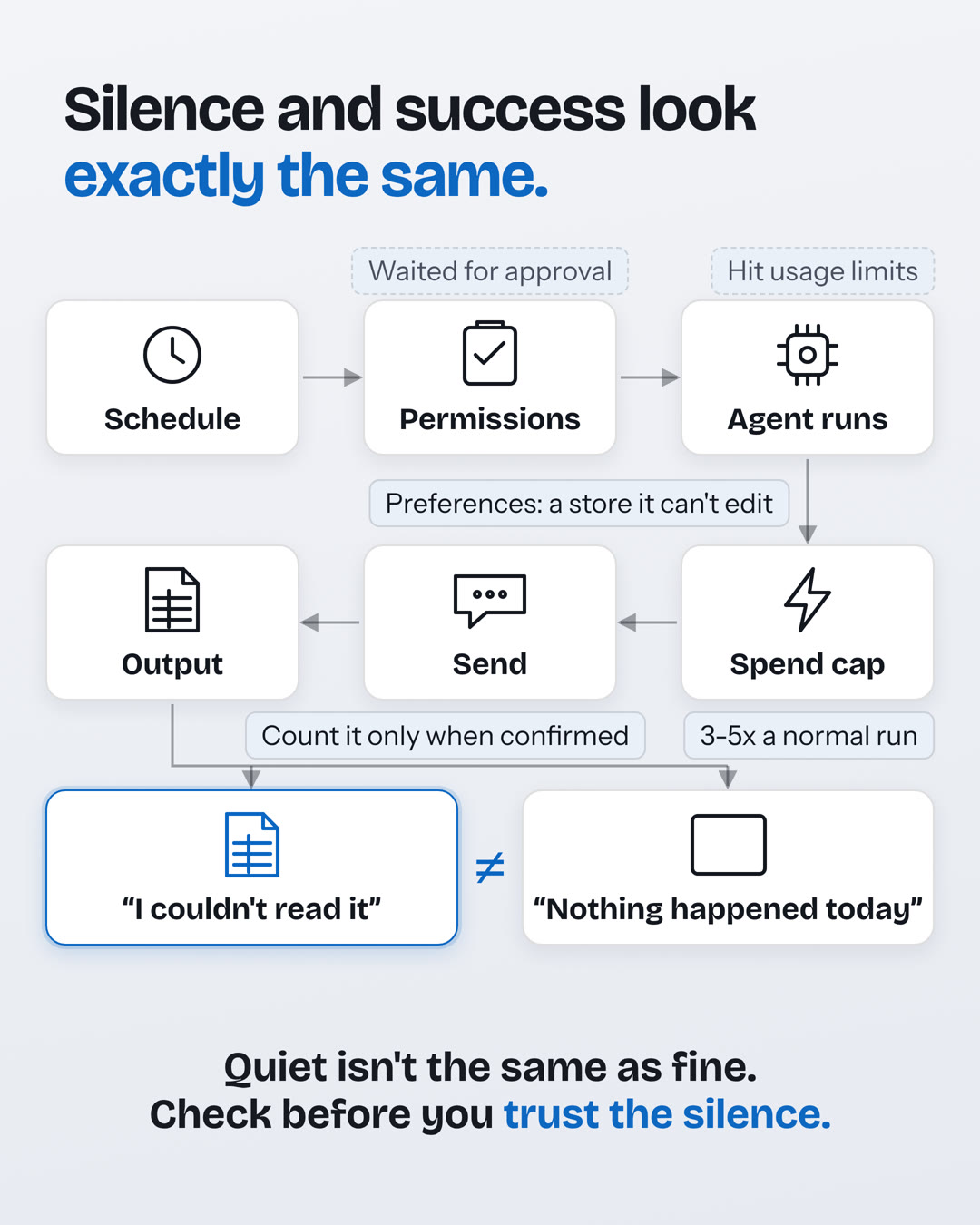
Four ways a run goes quiet
- A source fails. If an MCP server is down or its token has expired, the run still starts, just without that server's tools. The session logs an error, but the agent sees nothing from that source and reports "nothing new."
- The spend cap hits. In the guide's setup, a run that hits its cap pauses instead of failing, so a cap set too low looks like a brief that went quiet.
- An approval is needed. MCP tools ask for approval by default, and nobody is there to give it.
- The send can't be confirmed. Guess "sent" and those items never get reported; guess "not sent" and readers get the brief twice. The guide marks the run "maybe posted" and changes nothing else.
The six parts of an automation
| Part | In the guide's template | What to get right |
|---|---|---|
| Sources | Slack channels and GitHub pull requests, read from a bookmark | Name any source it couldn't read |
| Destination | One Slack channel, a dated post each run | Count a post only when it's confirmed |
| Agent | The model, tools and run steps in agent.md | Re-check items before posting |
| Schedule | Cron, set in deployment.md | Work out dates in the reader's time zone |
| Memory | Preferences (read-only) and state (read-write) | Read preferences fresh every run |
| Guardrails | Limits on what it can do and spend | Set the cap from real runs |
Count a send only when it's confirmed
Both ways of getting this wrong hurt. Record a post that never landed, and the bookmarks move on, so those items are never reported. Post again because you aren't sure, and readers get the same brief twice.
The guide's rule: a post counts as sent only if Slack returns "ok": true and a message timestamp. The ledger and bookmarks update only after that. If the result is unclear, the run is marked "maybe posted" and nothing else changes, so nothing is lost.
Preferences the agent can't edit
The guide splits memory in two. Preferences are yours and read-only to the agent: which channels and repos to read, what to leave out, the length cap, the destination. State is the agent's: the bookmarks, the ledger, a record per run and notes on how each source behaves.
One trap to avoid: a copy of the preferences baked into the prompt keeps applying rules you've already changed. Have the agent read the file fresh every run, and if it can't, stop and say so instead of running on defaults.
Guardrails for runs nobody watches
- Read-only access wherever the agent only reads. In the example, the GitHub token and the preferences store are read-only.
- A spend cap: start at three to five times the cost of a normal run, then tighten it as you see real numbers.
- An allowlist of hosts the environment can reach.
- Caps on turns, time and spend, and a heartbeat someone actually watches.
- Approvals decided up front. Claude Code's own guide does the same for batch runs: pre-approve the tools the job needs, and use
dontAskmode to deny anything else that would need approval.
The payoff, in the guide's words: a planted instruction can still change what the brief says, including through the notes the agent keeps between runs, but it can't write to GitHub or edit your rules.
What happened to mine
My personal AI setup showed this recently. Two scheduled tasks hit usage limits and stopped. No alert. The output simply wasn't there. Another reached a step that needed my approval and waited for someone who wasn't there.
That task now has the step allowed ahead of time, with a guard that only lets it message me. There's no alert yet, so I check the output myself.
Quiet isn't the same as fine. If an agent runs while you sleep, how do you find out it didn't? Tell me on LinkedIn.
Sources and further reading
The playbook details come from Anthropic's guide. The scheduled-task story is my own.